


 January
26,
2026
January
26,
2026

How I use my team of (secret) agents.
When I wrote my blog post, AI Tools and Tips for Beginners, I was aiming to show others how I use Gen AI to improve my efficiency and quality of work.
But Gen AI has changed drastically since then. Hastily produced AI outputs in our personal and professional lives have given me AI fatigue. I feel more skepticism of content than I used to. I find myself asking, “Other than the prompt, was a human involved during the creating this?”
As a result, the way I work with AI has evolved. So I’d like to revisit the topic: How do I use Gen AI to improve my efficiency and quality, while keeping it authentically “me?”
My Team of Custom Agents
For most projects, I “staff” my team with custom agents. It allows me to keep my prompts and outputs organized and keeps the custom agents focused on the specific tasks I need to complete my work.
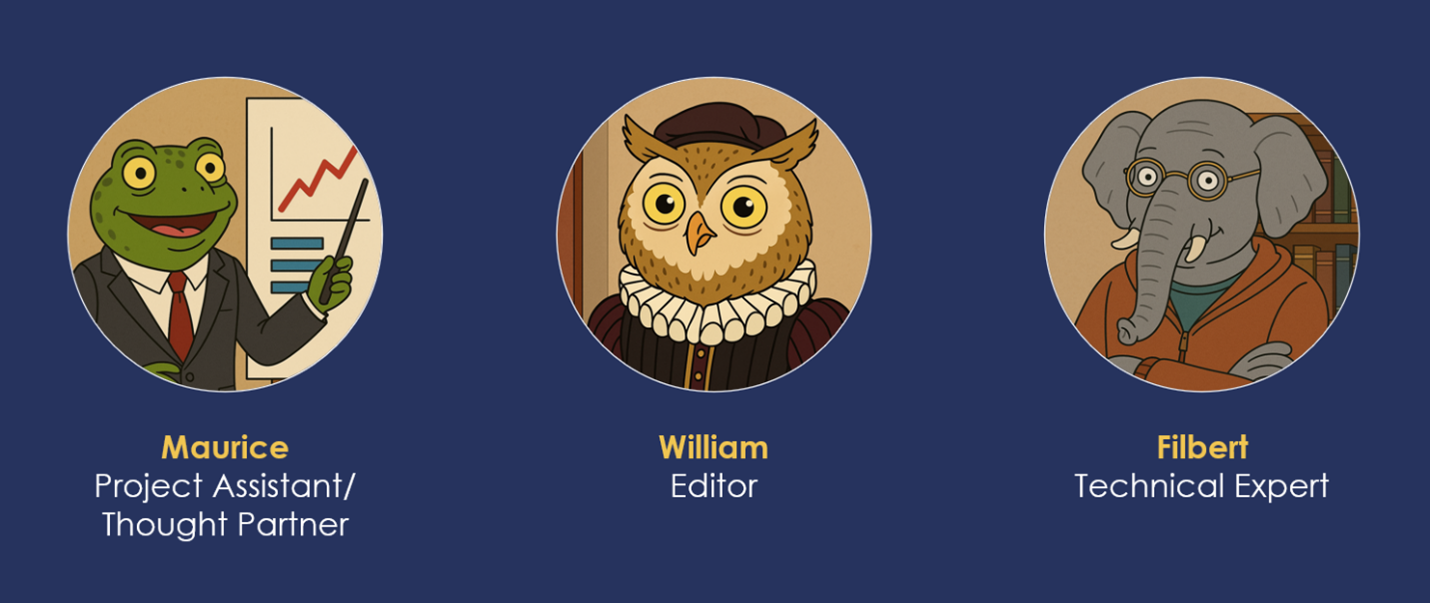
For an eLearning project, I typically will design a custom agent for each of these roles:
- Project Assistant / Thought Partner
- Editor
- Technical Expert
As a source of entertainment, I like to give each of them a personality and a picture. Not required, of course. 😊
Team Member 1: Project Assistant / Thought Partner
Purpose
- Helps organize your thoughts.
- Suggests ways of presenting content.
- Completes time-consuming tasks that slow down development time.
- Generates knowledge-check questions at various difficulty levels.
- Drafts feedback text for correct, partially correct, and incorrect responses.
- Builds branching scenarios with decision trees, consequences, and scoring rules.
- Turns decision trees into a table that maps nicely to Storyline slides, layers, and triggers.
Example Prompts
- “Here are my learning objectives. Generate 10 knowledge check questions at mixed difficulty levels.”
- “Create a branching scenario with three decision points. Include consequences and scoring.”
- “Turn this decision tree into a table that maps to Storyline slides and layers.”
- “Based on this topic, suggest three interaction types and why they would work.”
Pointers
Since my way of working is to throw a bunch of thoughts and ideas at the wall and see what sticks, this agent is instrumental in helping me organize thoughts and come up with a shell for the eLearning. I constantly ideate with it to get an output I am happy with.
Team Member 2: Editor
Purpose
- Writes on-screen copy that matches a specific tone.
- Drafts voiceover scripts that map to each slide or interaction.
- Generates microcopy: button labels, instructions, error messages, and branching feedback.
- Helps with grammar, sentence flow, and the like.
- Does not rewrite my content; simply does an editing pass.
Example Prompts
- “Do a clarity pass on this copy. Keep my tone and do not rewrite it from scratch.”
- “Give me options for this sentence. Keep it conversational and direct.”
- “Tighten this paragraph for on-screen reading. Keep the meaning the same.”
- “Rewrite this for a different audience: new managers. Keep it simple and specific.”
- Or my favorite “No, you’re adding too much fluff. Less fluff. This is my stuff!”
Pointers
Be nitpicky with the output you want. A common trick is to tell the agent, “give me five options” then select a few that work for you. From there, adjust to your liking and run it through the editor to spot-check for errors in grammar, flow, etc.
Team Member 3: Technical Expert
Purpose
- Helps when I have an idea in mind but cannot think of a straightforward way to prototype or build it.
- Has broad knowledge of eLearning authoring tools.
- Takes a first pass at JavaScript, HTML, or CSS code if needed.
- Verifies and helps troubleshoot hurdles I’m experiencing.
- Helps translate build ideas into steps that improve efficiency and user experience.
Example Prompts
- “Here’s what I want the interaction to do. What’s the simplest way to build this in Storyline?”
- “Help me brainstorm ways I can develop this interaction with very few end user clicks.”
- “Draft JavaScript that will complete this function: (Enter what you’re trying to accomplish here).”
- “Troubleshoot this issue. Here’s what I tried and what happened.”
- “Here are two build approaches I have for this interaction. Why would I opt for one over the other?”
- “Here’s a screenshot of all my variables, please create a (variable name).”
Pointers
As with the others, always scrutinize the output you get. Keep working on your prompts — this is a skill that you will need to develop too!
My Workflow
Here’s an example scenario:
- I gather all the content and materials I’ve obtained from the project team (humans, not agents).
- I create a chicken scratch storyboard (throwing a bunch of pasta at the wall).
- I go to the Project Assistant to help plan the build (scenario, branches, learning objectives, structure).
- I pass it to the Editor to fix copy and help the language flow.
- I create a draft storyboard using content created by me and vetted by the first two agents.
- I take another close look at the copy and make edits based on my preferences and the preferences of my client.
- I send it to the project team for QA and feedback.
- I apply the feedback.
- I send it back to the project team for another quick QA, then send it to the client. (Usually at this point, the technical aspect is still very simple and straightforward.)
- After everyone’s approval, I take the storyboard and ask what would the build look like in a perfect world?
- I use the Technical Expert to help put it on paper. After a few iterations, the storyboard copy is complete; I send the next draft to the client with the visual ideas (i.e., they click here, they enter this, they drag and drop this…).
- Once the storyboard is finalized, I begin developing the course prototype or mockup.
The Bottom Line: Keeping It Authentically Me
I’ll leave you with two tips:
- Start out right. Prompting is a skill that you must build – as you continue ideating with your agents, you will build confidence and improve your prompt outputs.
- Use your agents. Constantly ideate with your agents. And give your agents a chance to help you become more efficient.
I’m a big fan and constant user of Gen AI. Learning professionals should commit to learning how to use it better as AI – and humans – evolve.